Runs and workflow detail
The Runs page (/runs) lists every Snakemake execution reported by the logger for your account. Filters support tags, name search, and time range. Click a run name to open the run detail view at /runs/{run-id} (the same UUID used in the REST API as workflow_id).
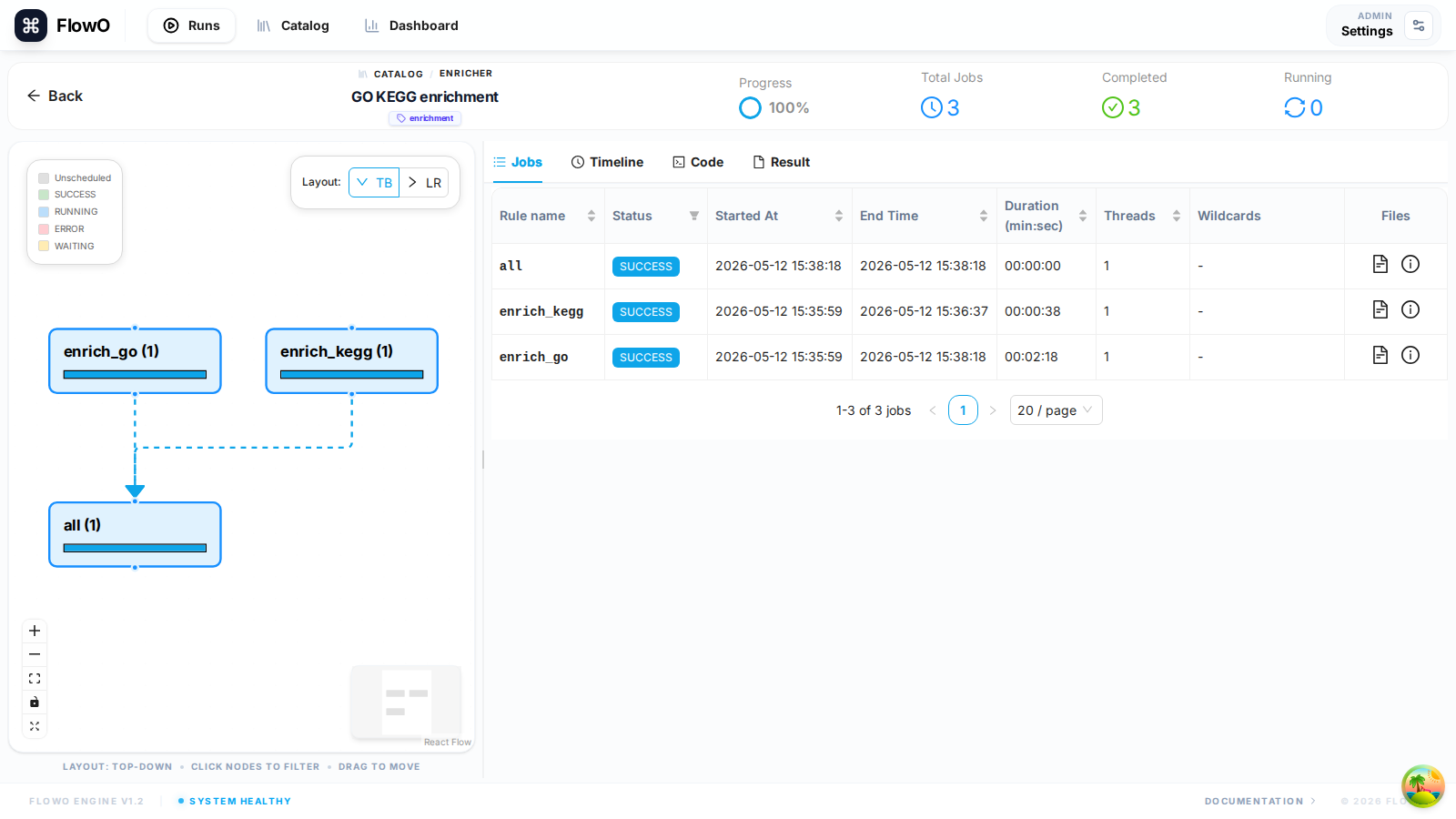
Header: metadata and progress
The top card shows run name, status (running, succeeded, failed, …), catalog link (when associated), tags, start/end times, and a progress bar derived from completed vs total jobs.
Left panel: rule graph (DAG)
The interactive DAG reflects the rule graph reported for this run. Nodes map to rules; styling reflects aggregate job status. You can zoom, pan, and use the minimap. Clicking a node selects a rule and filters the Jobs, Timeline, Code, and Result tabs to that rule without changing which tab is active—so you stay on Timeline if you were reviewing timing, or Code if you were reading the rule block.
Right panel: tabs
| Tab | Purpose |
|---|---|
| Jobs | Table of jobs: rule, status, wildcards, runtime, links into logs. |
| Timeline | Gantt-style chart of job start/end times; filter by selected rule. |
| Code | Snakefile or per-rule source captured for this run. |
| Result | Output file browser and previews when paths are readable by the server. |
Logs, config, and modals
From the Runs list, action icons may open Snakefile, config, workflow JSON, or log viewers in modals depending on what was reported—useful for a quick audit without opening the detail page.