Welcome to FlowO
FlowO is an open-source monitoring and management platform for Snakemake. It connects terminal-based workflow execution to a live web UI: every run is recorded, searchable, and diagnosable from the browser.
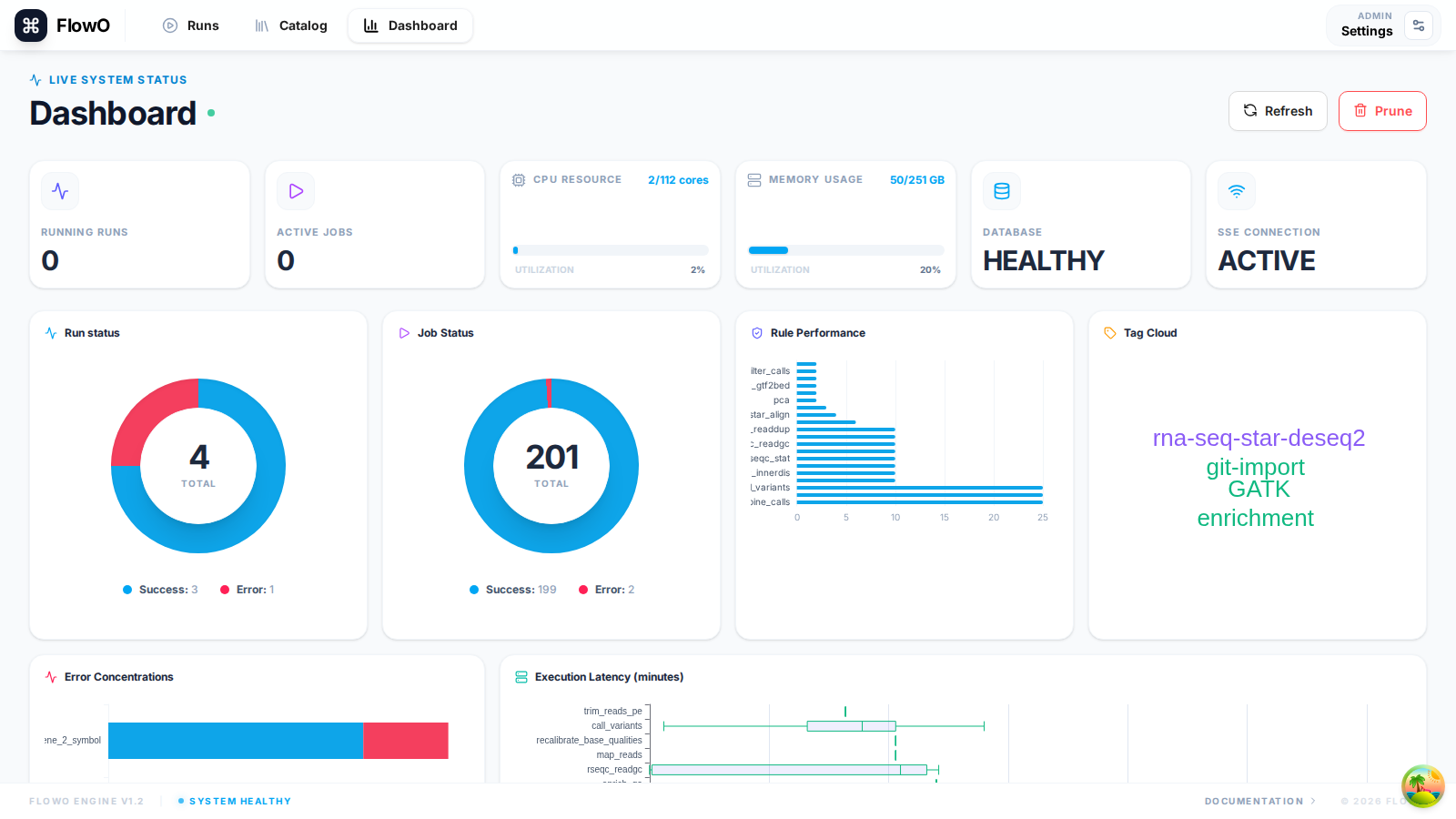
What is FlowO?
FlowO pairs a Snakemake logger plugin with a FastAPI + PostgreSQL backend and a React frontend. While Snakemake runs, events are pushed over HTTP; the database holds the canonical history; Server-Sent Events (SSE) keep the UI up to date without polling.
Who should use FlowO?
- Bioinformaticians and data scientists running Snakemake in HPC, cloud, or workstations who want a shared view of runs.
- Lab or platform teams that need job-level logs, errors, and output previews in one place.
- Groups standardizing pipelines via an internal Catalog of Snakemake templates (and optional official template sync).
Core value
| Capability | What you get |
|---|---|
| Real-time monitoring | Live progress, job states, and dashboard aggregates as the logger reports events. |
| Workflow and job diagnosis | Rule names, wildcards, shell commands, logs, and tracebacks for failed jobs. |
| Output preview | In-browser preview for common text, table, HTML, and image outputs when paths are visible to the server. |
| Catalog / template reuse | Browse, version, and link runs to catalog workflows; pull or upload templates. |
| Optional MCP | Connect an MCP-aware assistant to summarize runs, search catalog files, or trace outputs—not required for day-to-day use. |
High-level architecture
graph LR
  SM[Snakemake + logger plugin] -->|HTTPS reports| API[FastAPI backend]
  API --> DB[(PostgreSQL)]
  DB -->|LISTEN/NOTIFY| API
  API -->|SSE| UI[React frontend]
  UI -->|REST| API
  API --> FS[Working directory / previews]
Try FlowO in three steps
- Run the stack (or use a hosted demo—see Quick Start):
docker compose up -d
- Authenticate the CLI (browser-based login; no manual token copy when using defaults):
flowo login --host https://your-flowo-host
- Run Snakemake with the logger:
snakemake --logger flowo --logger-flowo-name my-experiment --logger-flowo-tags demo,qc
Open the Runs tab (/runs) and the Dashboard to see the new run appear in real time.