AI integration (Model Context Protocol)
Note
MCP is optional. You do not need MCP for logging, Runs, Dashboard, or Catalog.
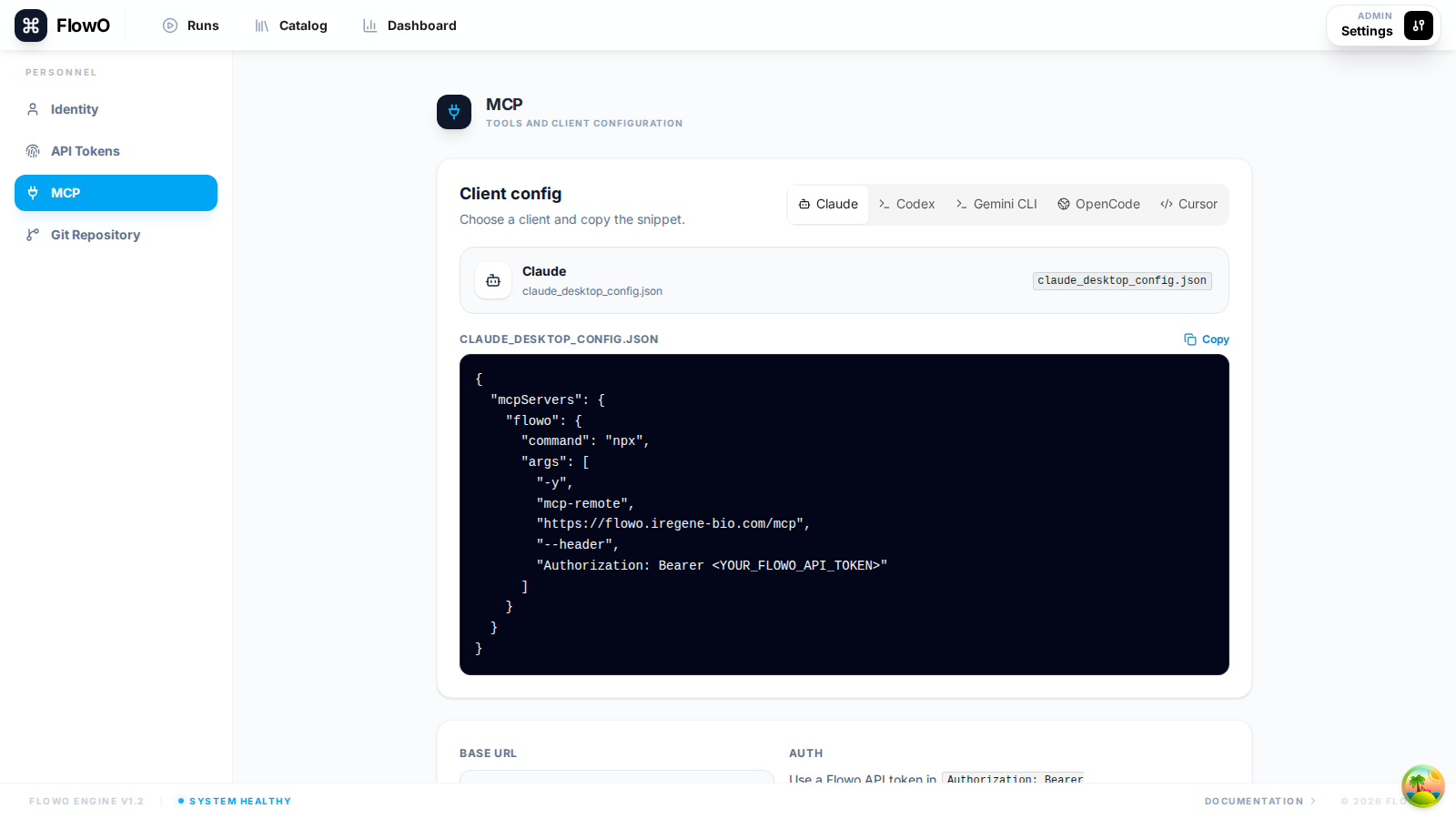
FlowO exposes an HTTP MCP server (mounted at /mcp on your deployment) so assistants (e.g. Cursor) can call the same operation ids the REST /api/v1/mcp-tools/... surface documents.
What is MCP?
MCP is an open standard for tools and resources. With a FlowO API token, a client can:
- List and summarize runs (Snakemake executions).
- Inspect failures and timelines.
- Preview recorded output/log files when the FlowO server can see the same filesystem.
- List and search catalog workflows (stored templates).
Setup
- Create an API token under Settings → API Tokens (required for MCP clients; this is separate from interactive
flowo loginon your laptop unless you reuse that token deliberately). - Point your MCP client at
https://<your-host>/mcpwithAuthorization: Bearer <token>.
Example configuration (Cursor)
{
  "mcpServers": {
    "flowo": {
      "url": "https://your-flowo-host/mcp",
      "headers": {
        "Authorization": "Bearer YOUR_FLOWO_API_TOKEN"
      }
    }
  }
}
Example prompts (illustrative)
- “Summarize the latest failed run and list the first three failed jobs.”
- “Preview the log for the failed
alignjob.” - “Show the tail of the Snakemake workflow log for run
….” - “Open the first lines of
results/counts.tsvfrom the latest successful run.” - “Search catalog files for
STARin our RNA-seq template.” - “Which rule produced
results/counts.tsvon run…?”
Exact parameters follow your FlowO version; use Settings → MCP in the app for copy-paste hints.
MCP operation_id reference (runs)
operation_id |
Role |
|---|---|
list_runs |
Search and list runs with filters (status, name, catalog slug, tag, time window). |
get_latest_run |
Latest run matching optional filters. |
summarize_latest_run |
Human-readable summary of that latest run. |
diagnose_latest_failed_run |
Failure diagnosis for the latest failed run matching filters. |
get_run_timeline |
Timeline payload for a specific workflow_id. |
list_run_outputs |
Outputs recorded for a run. |
preview_run_file |
Preview a database-recorded output/log/benchmark file with head/tail snippets. |
read_run_text_file |
Read a small text output/log/benchmark file, with byte limits and truncation. |
preview_job_logs |
Return tail snippets from recorded job log files. |
preview_workflow_log |
Preview the Snakemake workflow-level log recorded in workflows.logfile. |
read_workflow_log_text |
Read the beginning of the workflow-level log with byte limits. |
search_run_files |
Search text-like recorded output/log/benchmark files for compact snippets. |
list_running_runs |
Lightweight running count / list. |
list_recent_failed_runs |
Recent failures. |
summarize_run |
Summary for one workflow_id. |
diagnose_run_failure |
Failure diagnosis for one workflow_id; includes lightweight linked-catalog hints when available. |
trace_run_output |
Trace which job/rule produced a path. |
Run file access
Run file tools only read paths already recorded in the FlowO database for that run, and only when the backend server can access the file through its configured working-path mount. They are preview tools, not a general remote filesystem browser.
Catalog context in diagnosis
Failure diagnosis returns catalog identifiers, entrypoints, a few configs, and likely relevant files. It does not return the full catalog file tree; use catalog tools to read or search specific files.
MCP operation_id reference (catalog workflows)
operation_id |
Role |
|---|---|
list_catalog_workflows |
List catalog entries the user can see. |
get_catalog_workflow_overview |
Metadata and overview for one catalog ref. |
read_catalog_workflow_file |
Read one text file from a stored catalog workflow. |
search_catalog_workflow_files |
Search paths / content in one catalog workflow. |
summarize_catalog_workflow |
Structured summary of one catalog workflow. |
list_runs_for_catalog_workflow |
Runs linked to a catalog entry. |
materialize_catalog_workflow_workspace |
Materialize / refresh on-disk workspace for tooling. |
Security
Token safety
Your API token grants full access to your FlowO data. Never share your configuration files publicly and always use HTTPS to encrypt the communication between your AI client and the FlowO server.