Results Preview
FlowO allows you to browse and preview your workflow outputs directly from the web interface, reducing the need to manually download or transfer files.
Browsing results
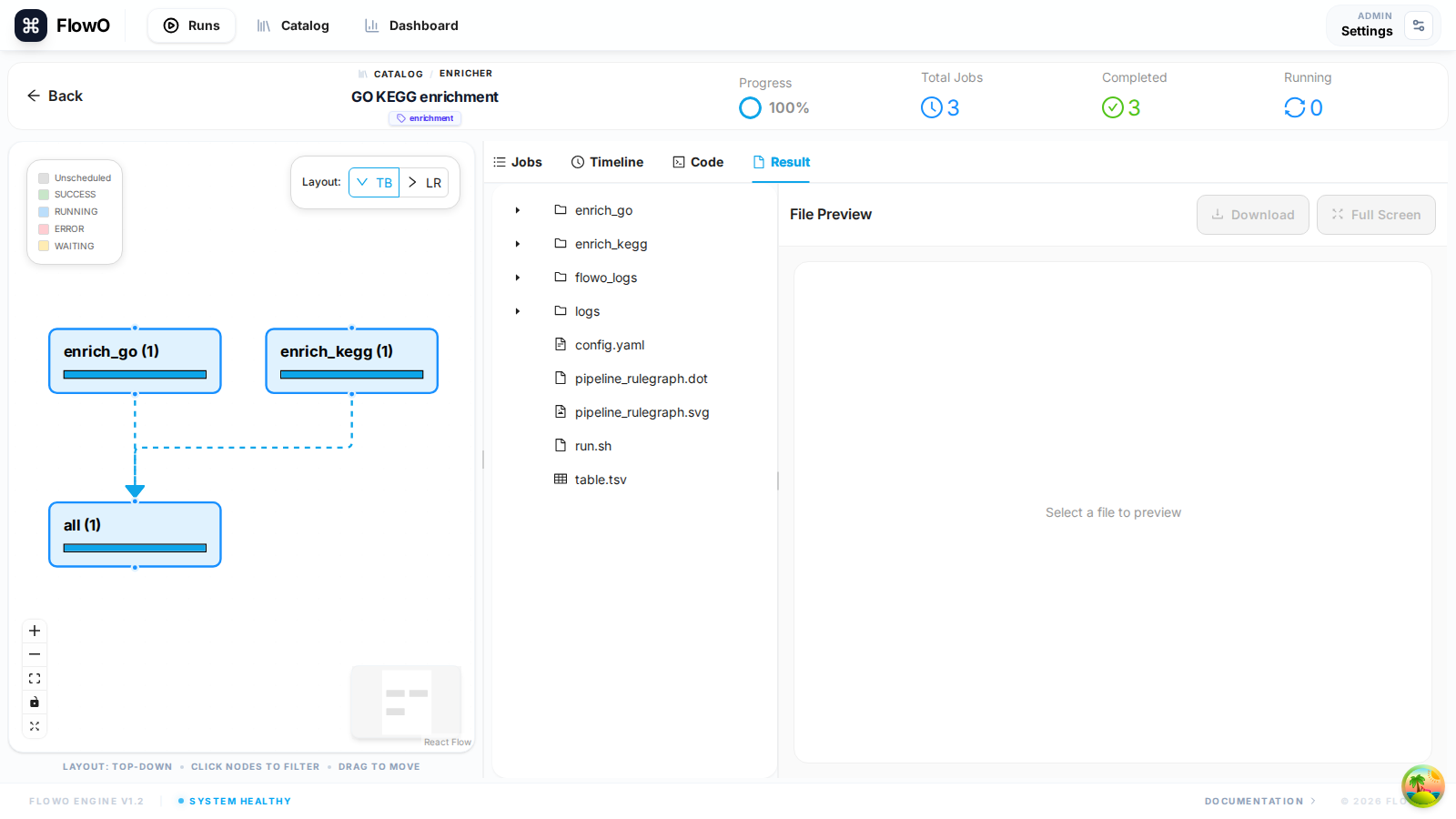
In the run detail page (/runs/{id}), open the Result tab to browse outputs reported for that execution.
Supported Preview Formats
FlowO includes built-in viewers for common bioinformatics and data science file types:
- Images: PNG, JPG, SVG (ideal for plots and QC charts).
- Tabular Data: TSV, CSV (rendered as interactive, sortable tables).
- Text/Code: Snakefiles, shell scripts, logs, and generic text files.
- Web Reports: HTML files (e.g., FastQC reports, MultiQC summaries) are rendered in a safe sandbox.
How it Works
For file previews to function:
1. Correct Working Path: The FLOWO_WORKING_PATH in your .env must point to the root directory where your Snakemake project runs.
2. File Existence: The files must still exist on the server's disk.
3. Permissions: The FlowO backend user must have read permissions for the output files.
Downloading Files
Any listed file can be downloaded from the Result tab when the download action is shown.
Tip
You can also open outputs from the Jobs tab when a job row exposes linked output paths.