Catalog and templates
In FlowO, the Catalog is the product area where you manage Snakemake workflow projects that live in the database. Concretely:
- The
catalogstable stores one row per catalog entry—that is, one Snakemake workflow / template you imported, uploaded, or synced (not “the whole catalog product” as a single row). - File contents (Snakefile,
config/,workflow/rules/, …) are stored in PostgreSQL (catalog_files/catalog_file_versions). The database is the source of truth for what you see and edit in the UI. - A materialized workspace on disk under
FLOWO_WORKING_PATHexists so Snakemake, Snakevision, exports, and similar tools can run against real paths. If that directory is empty or out of date, FlowO can re-materialize from the database—it does not mean your catalog data was lost.
Browsing the catalog
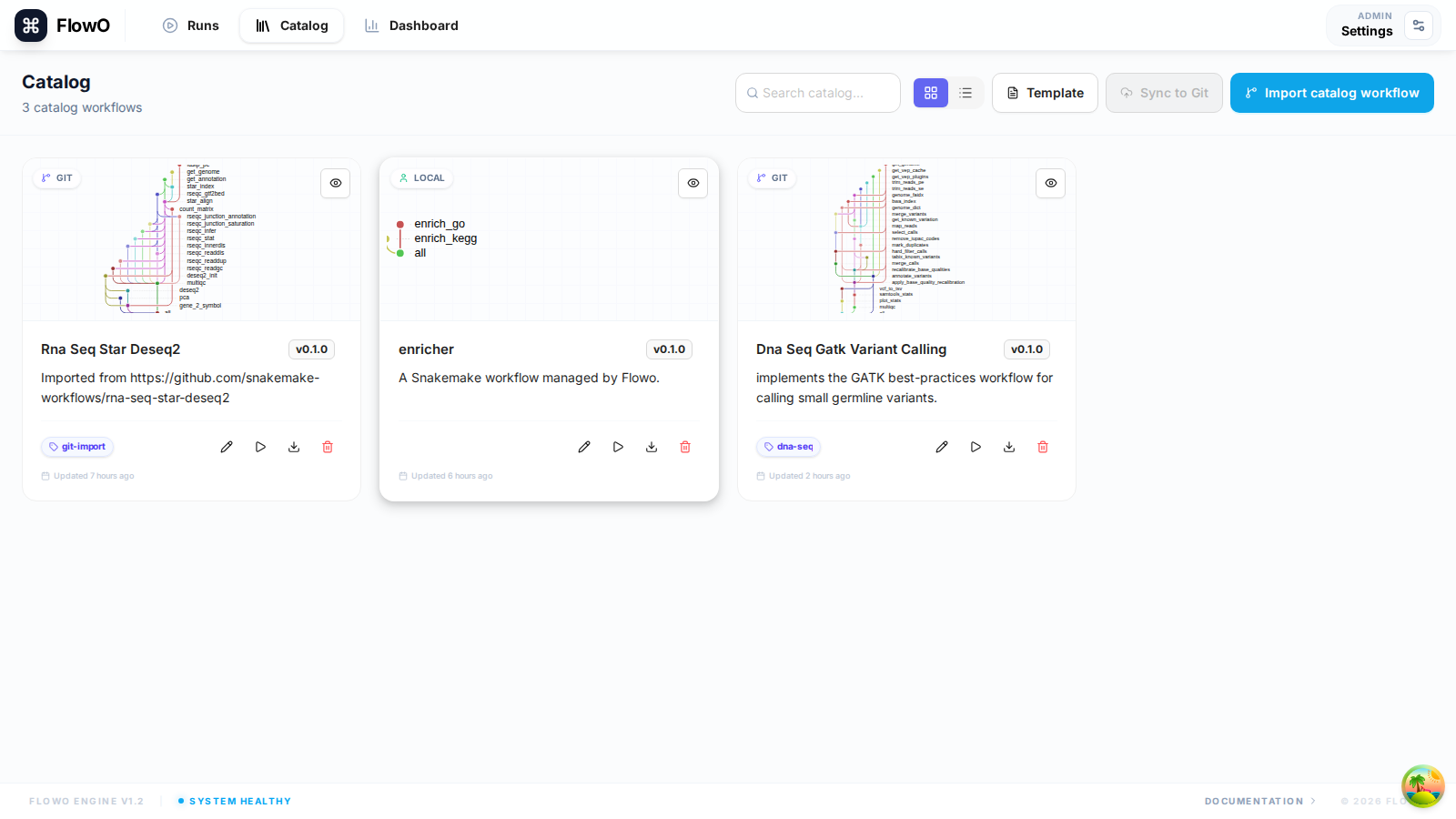
The Catalog page lists every entry. Each row includes:
- Name and description — what the workflow is for.
- Tags — e.g. RNA-Seq, QC, project labels.
- DAG column — thumbnail or state for best-effort DAG generation.
- Last updated — when files or metadata last changed.
Catalog entry detail
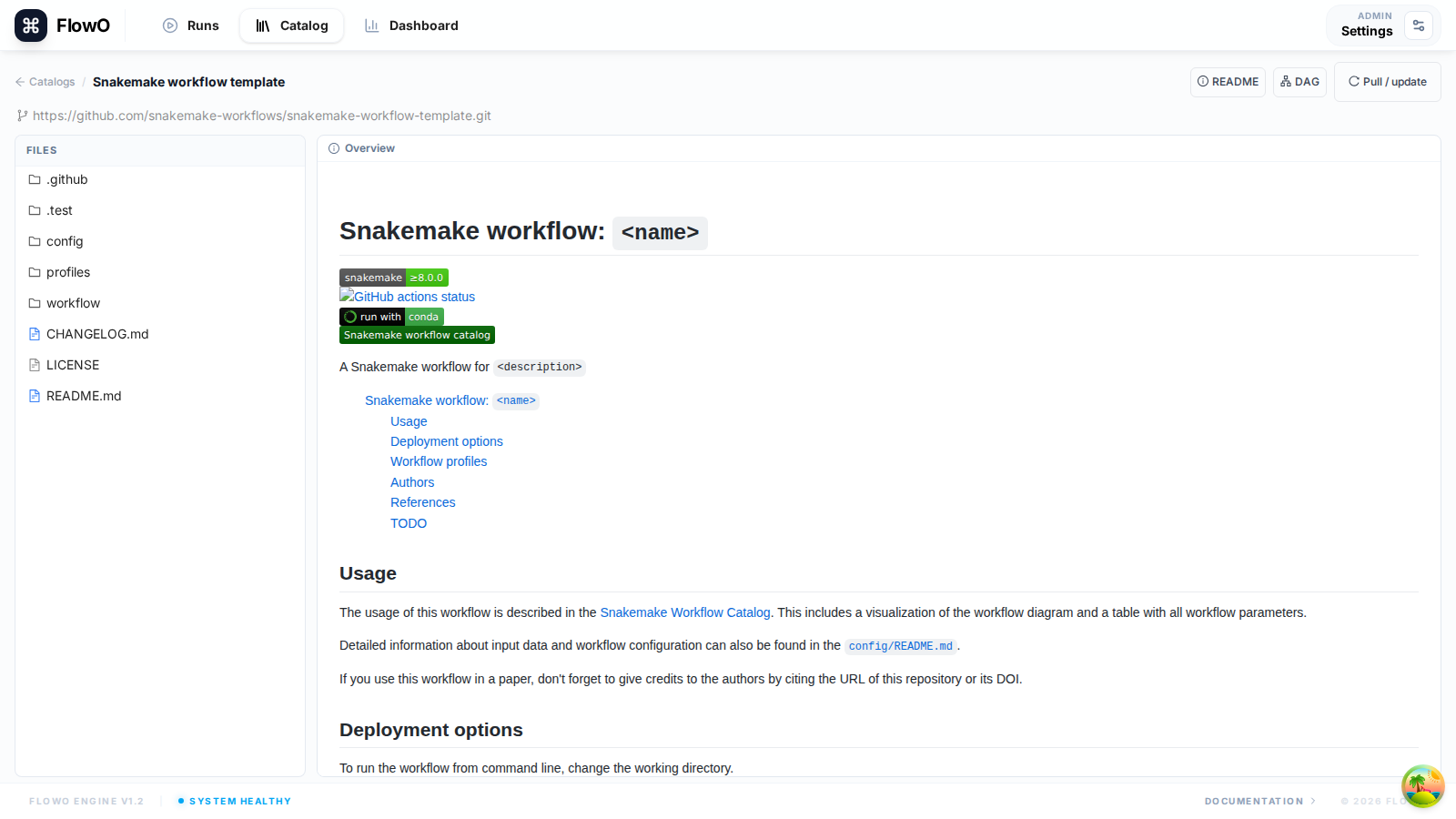
Open an entry to inspect the stored project:
- File tree — browse
Snakefile,config/,workflow/rules/, etc.; content is served from the database (the UI does not require a populated disk cache to read text). - Source / editor — view or edit file text; saves create new versions in the database.
- Runs — executions that reported this catalog (when the logger sent catalog metadata).
- DAG preview — optional Snakevision /
snakemakepipeline (see DAG preview).
Using a catalog entry
- Pull / download — use the UI or CLI (
flowo catalog pull …) to copy the workflow to a machine where you will run Snakemake. - Run Snakemake with
--logger flowoand, when applicable,--logger-flowo-catalog <slug>so the run is linked to this catalog entry.
Managing the catalog
- New entry — upload a ZIP or connect a Git remote (per your deployment’s features).
- Versioning — each save writes a new row in
catalog_file_versionsso you can audit changes. - Disk cache — FlowO maintains a local checkout under the configured working path for Snakemake compatibility and DAG generation; treat it as a derived copy of the database, not the authoritative store.